Topics · Sign up & log in
Follows & notifications
Messages
Ask the AI Manager
Sign up & log in
Manage your profile & settings
Nickname and photo, dark mode and language, notifications, privacy and account deletion — all from My.
In this article
- How to change your photo and nickname
- What you can do in Settings (notifications, marketing consent, data download, deletion)
Edit your profile
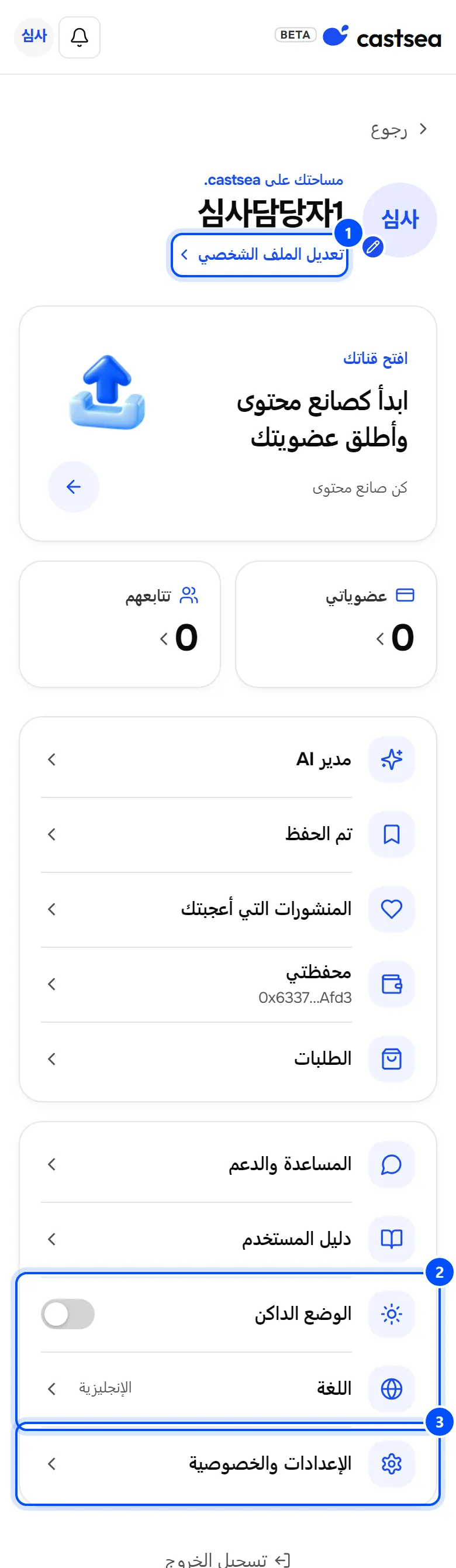
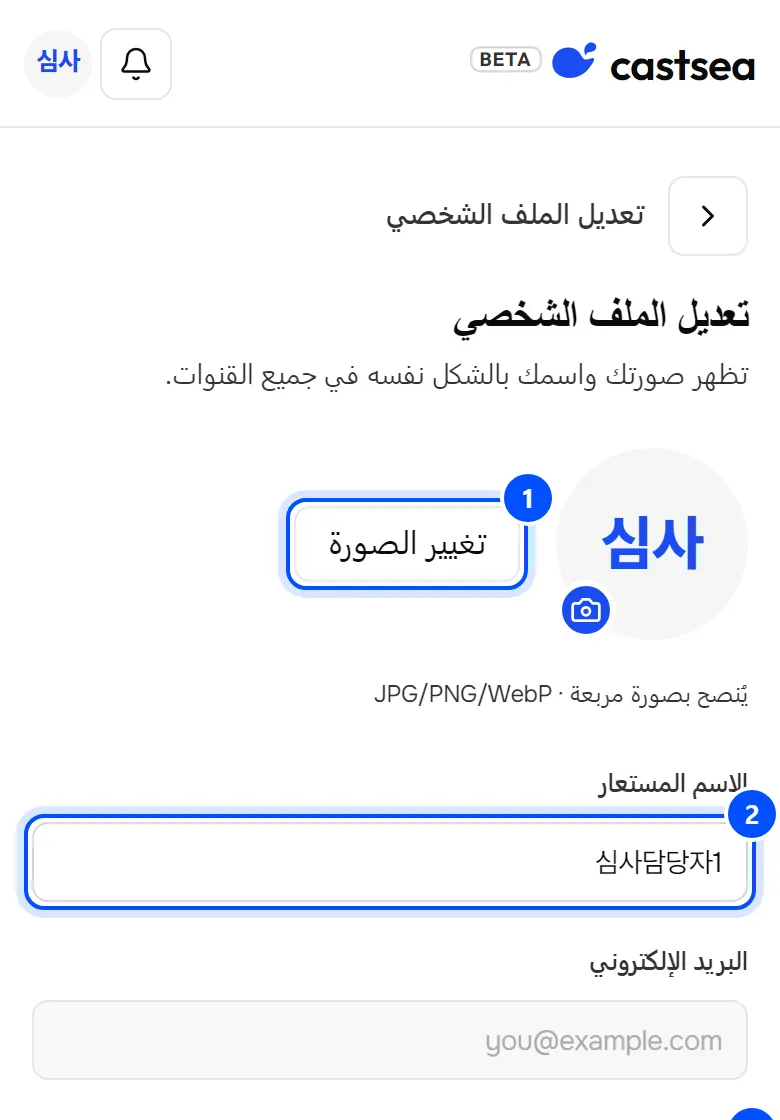
On My, tap your profile to open “Edit profile”. Use “Change photo” and edit your nickname (2–20 characters), then tap Save.
Dark mode and language are right in the My menu.
Settings & privacy
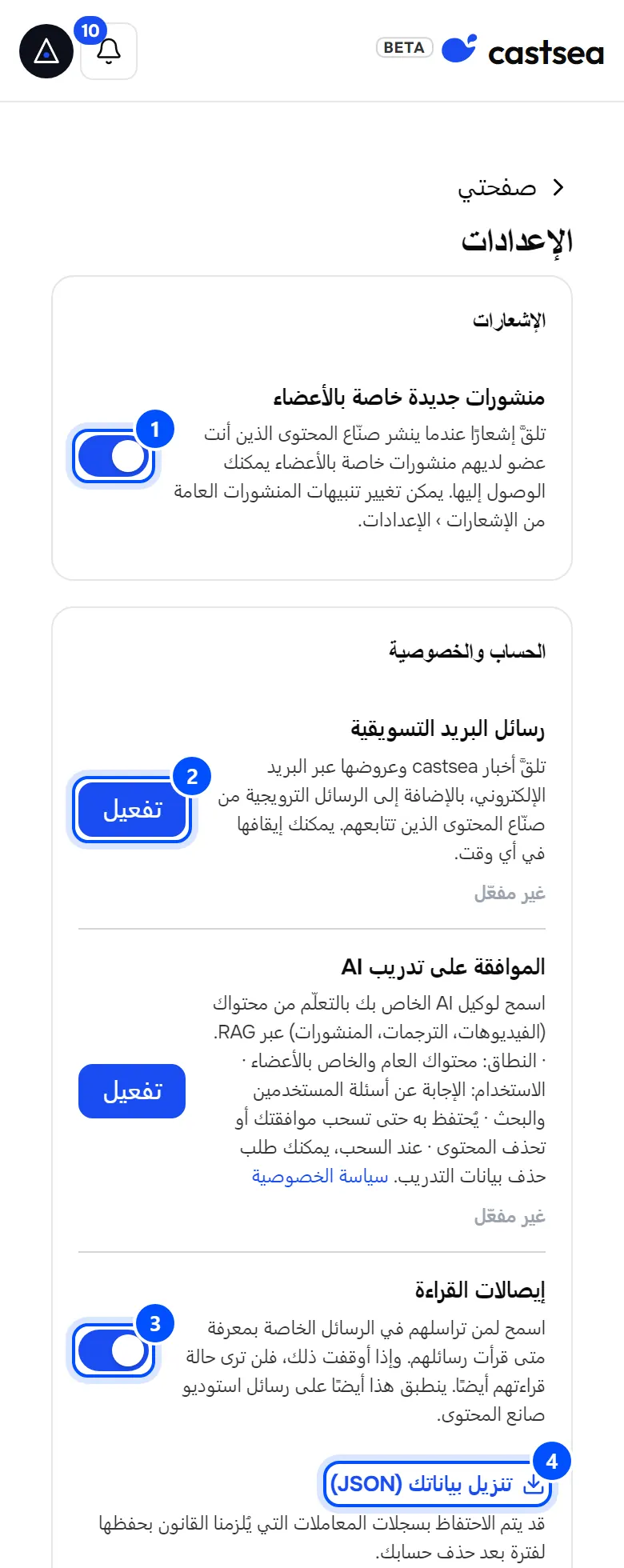
- Notifications: turn member-only new post alerts on or off
- Marketing messages: opt in or withdraw
- Message read receipts on or off
- View and download your data (JSON file)
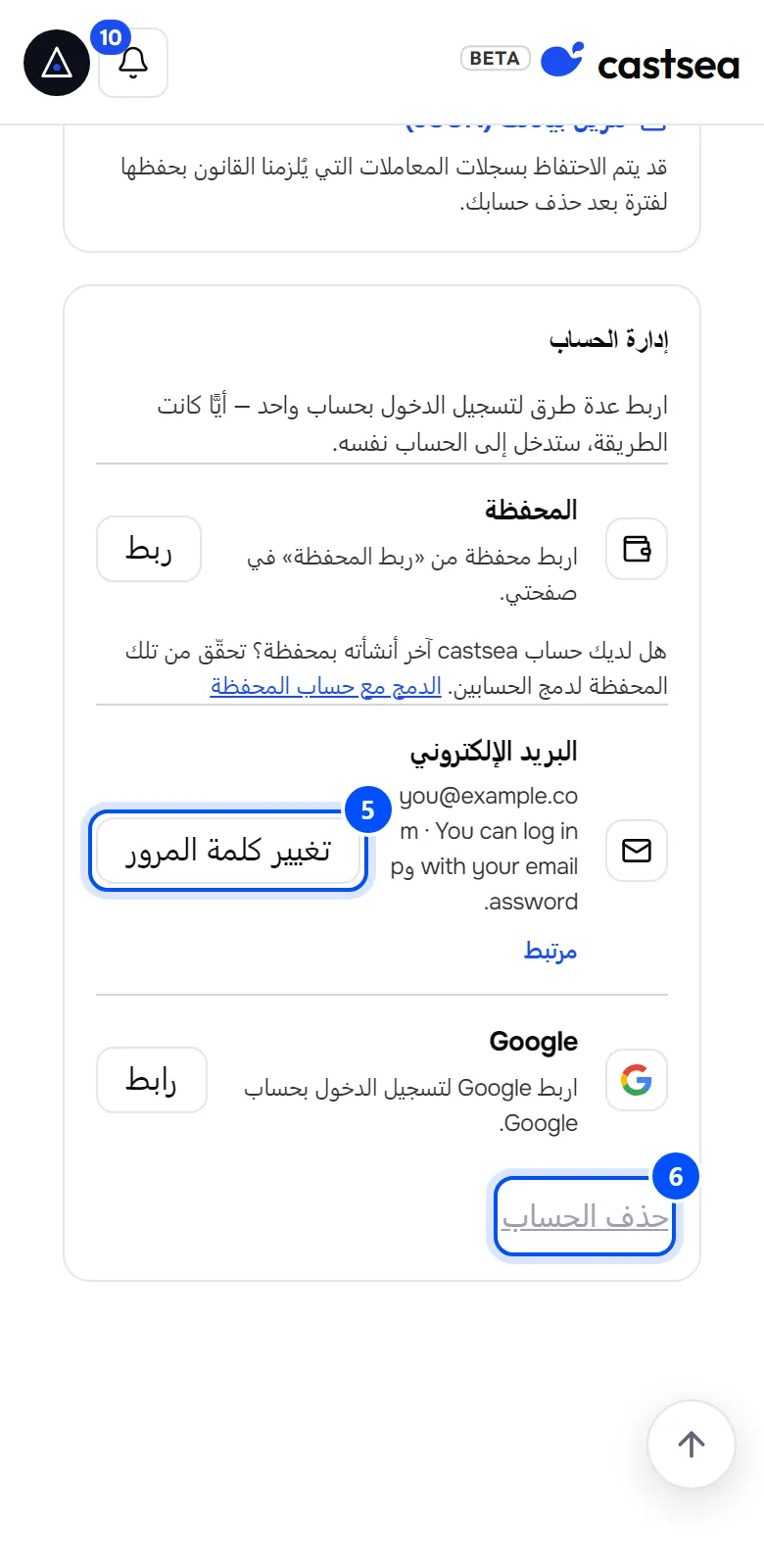
- Account: linked sign-in methods, password change, account deletion
Delete your account
Go to Settings > Account and choose “Delete account” at the bottom. You won't be able to log in, and your profile data is anonymized. Transaction records required by law may be kept for a set period.
Note
Deleting your account ends active memberships immediately. If you need a refund, request it before you delete.