Topics · Ask the AI Manager
Follows & notifications
Messages
Ask the AI Manager
Ask the AI Manager
Ask a creator's AI Manager
A creator's AI Manager answers from that creator's own content.
In this article
- How to open the AI Manager on a computer or phone
- Daily questions for followers and members
Open the AI Manager
- Computer: tap the “AI Manager” button in the header at the top, and a chat panel opens on the right — the page you were on stays where it is.
- Phone: tap “AI Manager” in the bottom menu and the chat slides up.
- On a channel: tap “Ask the AI Manager” under the channel profile to ask that channel's AI Manager directly.
Tap the creator's name at the top of the chat to switch to the AI Manager of another creator you follow or are a member of. You need to be logged in, and it's only on channels where the creator has made it public.
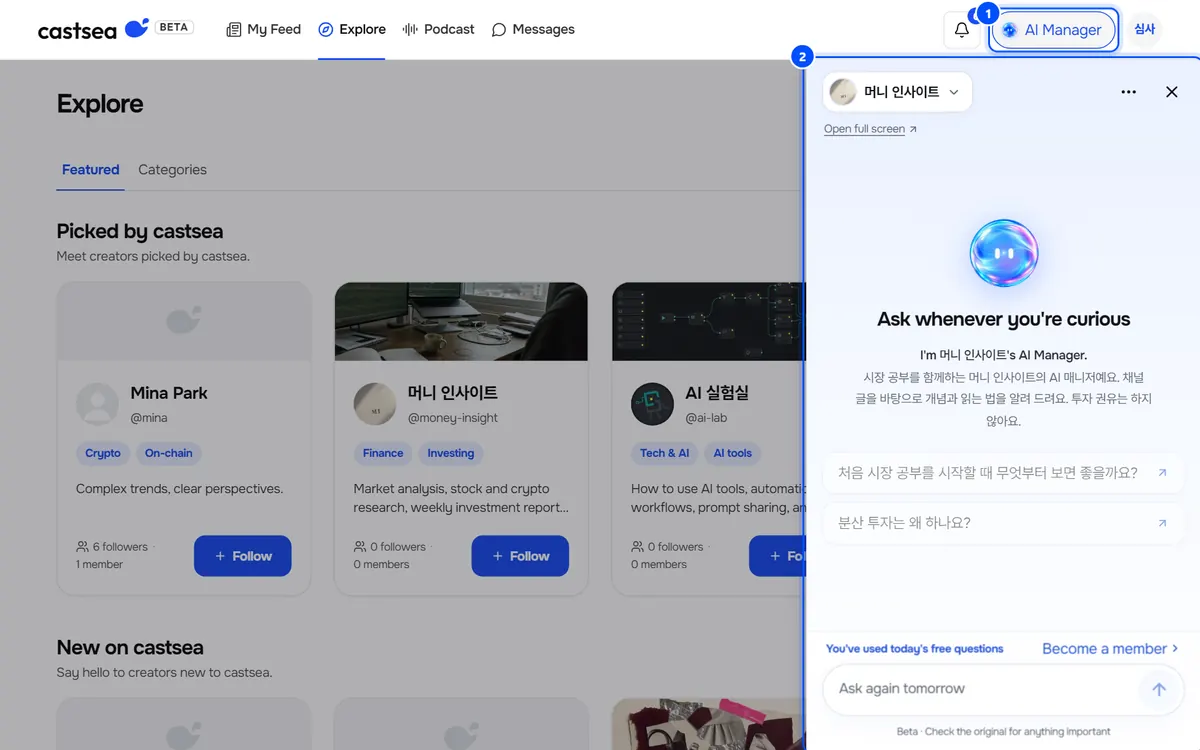
Ask a question
Type your question or tap a suggested one. The content it used appears under the answer, so you can open it right away.
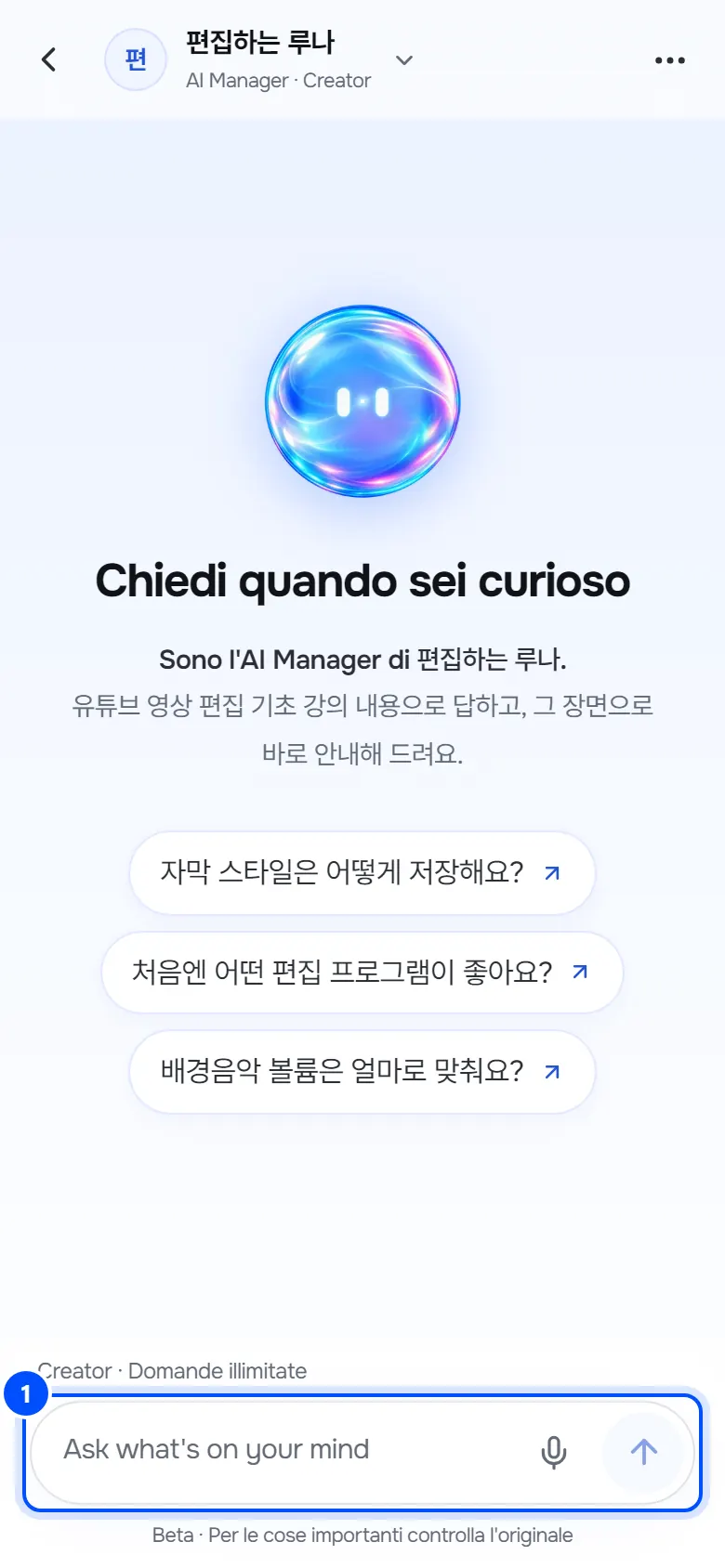
The AI Manager answers only from the creator's content. If you ask something unrelated, like the weather, it suggests questions worth asking instead — and that doesn't use up your daily questions.
Daily questions
- Followers: 3 free questions per creator per day (the creator can set 0–50).
- Members: members of that channel get 20 questions a day by default. The creator can set it from 0 to 100, or differently for each plan.
The chat shows how many you have left today. Daily questions reset at midnight Korea time.
It won't give medical, legal or investment advice, handle payment or refund requests, or answer personal-information questions. Send payment questions to the Help center.