Topics · Cancel & refunds
Follows & notifications
Messages
Ask the AI Manager
Cancel & refunds
Cancel a membership & request a refund
See the estimated refund and request it from My > Memberships.
On this page
In this article
- How to cancel early and request a refund
- How long refunds take
Open My memberships
My > Memberships shows the start date, end date and days left for each active membership.
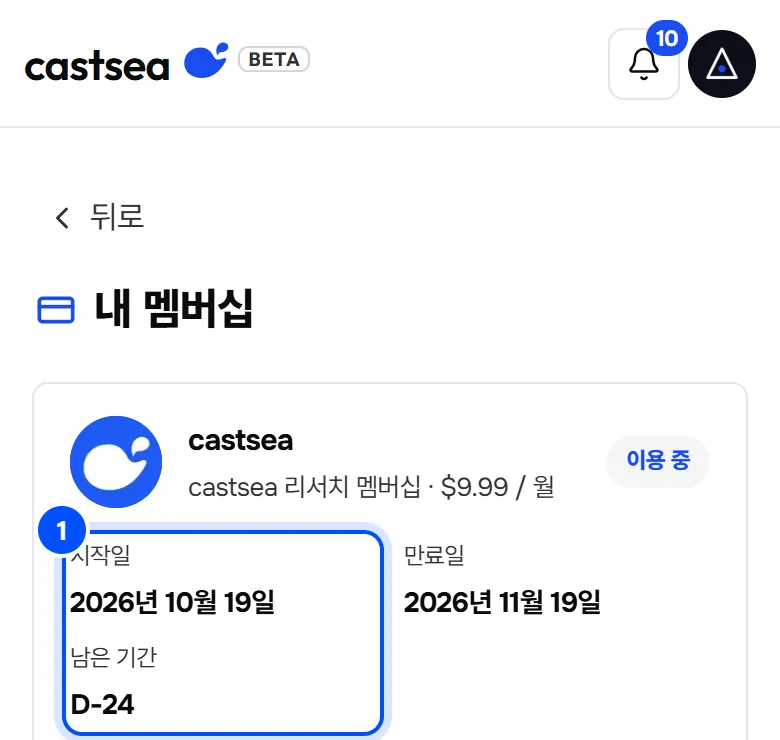
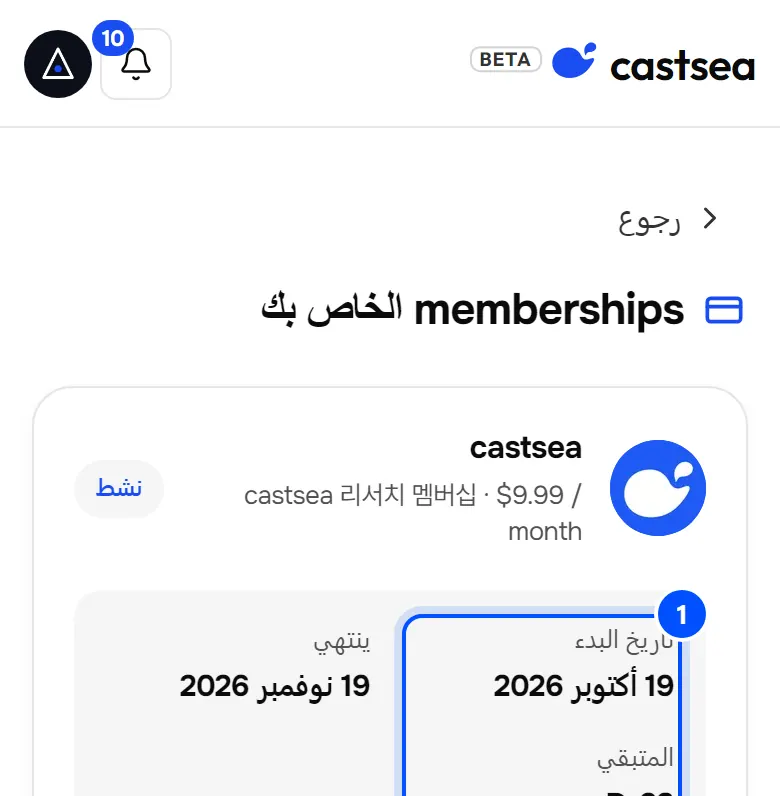
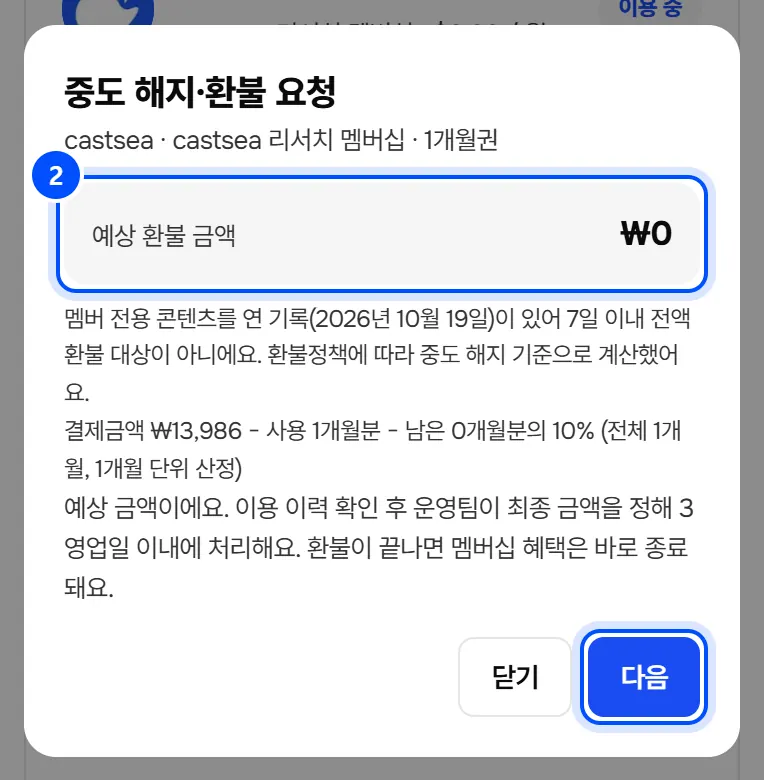
Tap “Cancel early · request refund”
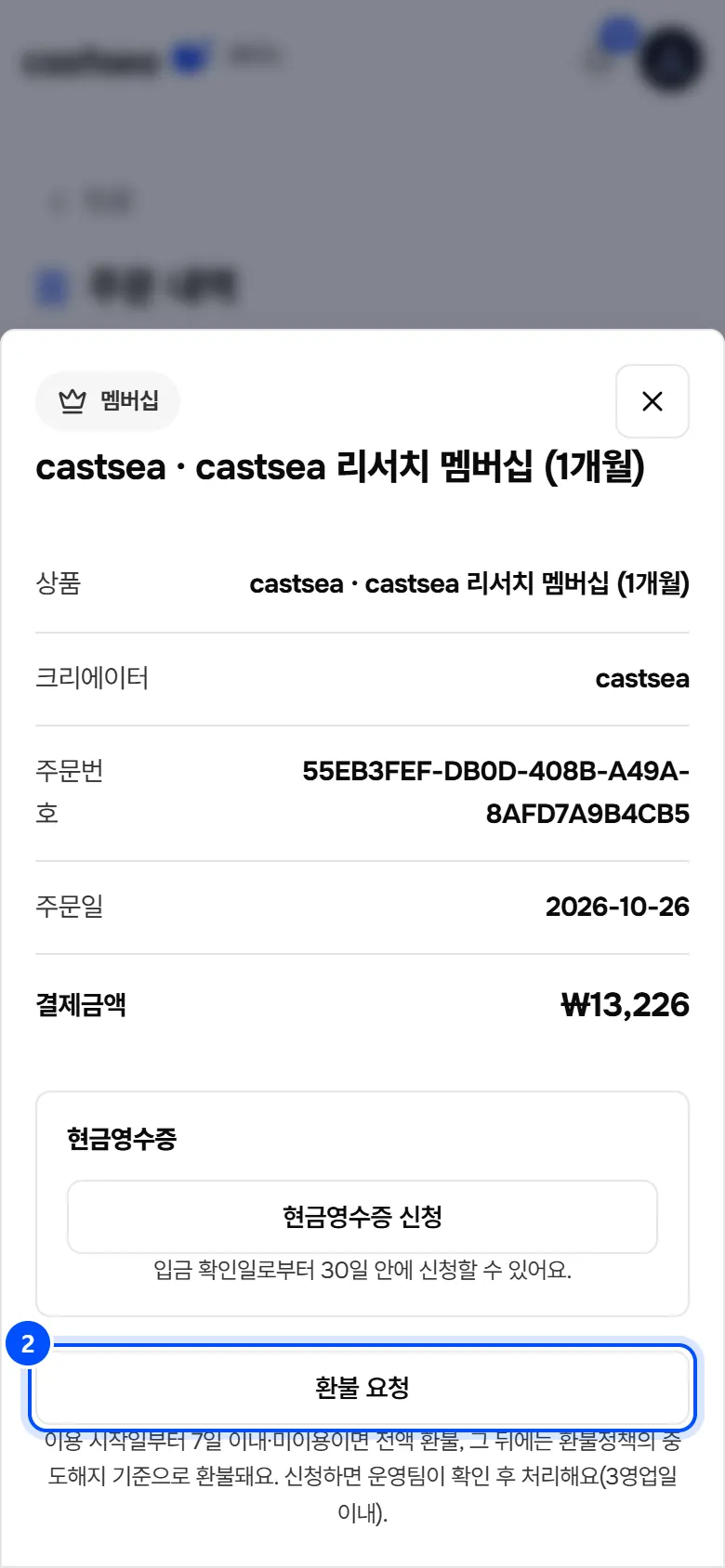
You'll see the estimated refund. Tap Next; if you paid by bank transfer, enter the account for the refund (bank, number, holder). The reason is optional. Tap “Request refund” to submit.
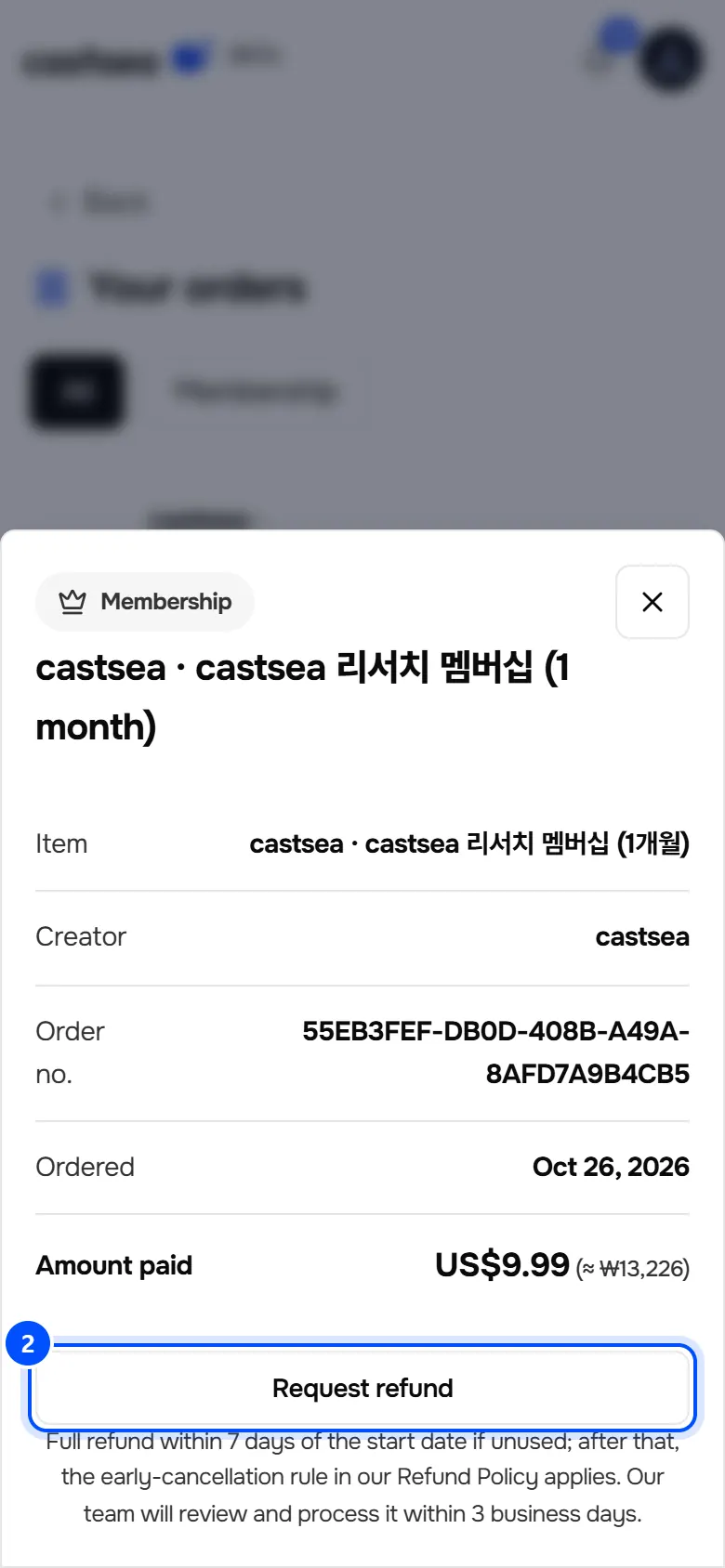
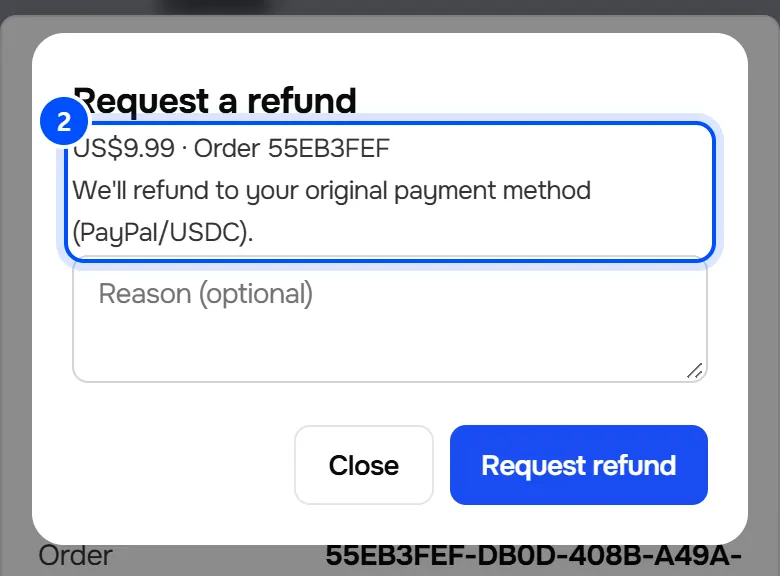
You'll see the estimated refund in the currency you paid (USD for PayPal and crypto). Tap Next, add a reason if you like (optional) and tap “Request refund” to submit.
Refunds are processed within 3 business days. Card payments are cancelled and bank transfers go to the account you entered.
Refunds are processed within 3 business days. PayPal payments go back to the PayPal account you paid with (it may take longer to show, depending on PayPal), and crypto payments are refunded in the same stablecoin for the USD amount at the time of payment (we'll confirm the wallet address and network after you ask).
Cancel a subscription
If you're subscribed, “Turn off auto-renewal” stops future charges. You keep access until the period ends and can resubscribe before then.
From Orders
You can also open a paid order in My > Orders and tap “Request refund”.