Topics · Your channel
Getting started
Courses
Membership plans
Token gating
Members & messages
AI Manager training
Insights
Creator plans
Your channel
Set menu tabs & home layout
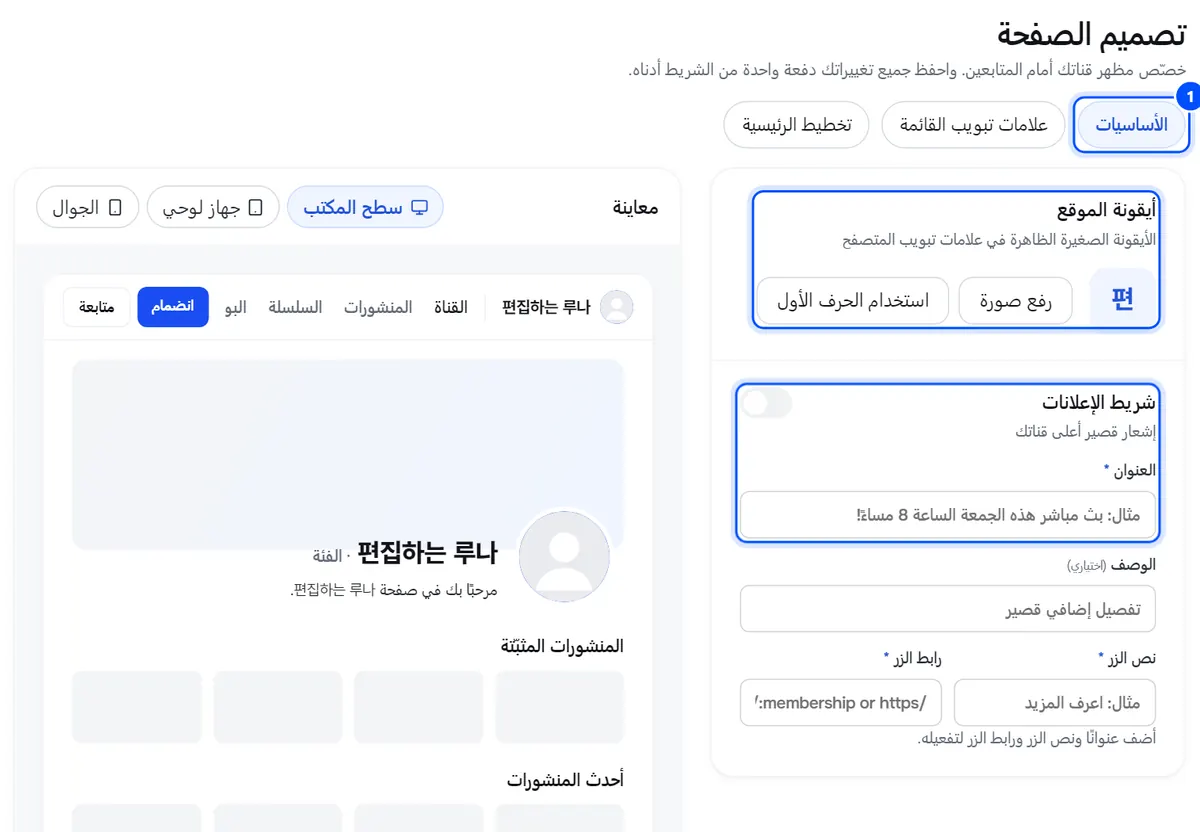
Page design controls the favicon, banner strip, channel tabs and home layout.
Three tabs
- Basics: favicon (image or initials) and a banner strip (title, description, button text and link)
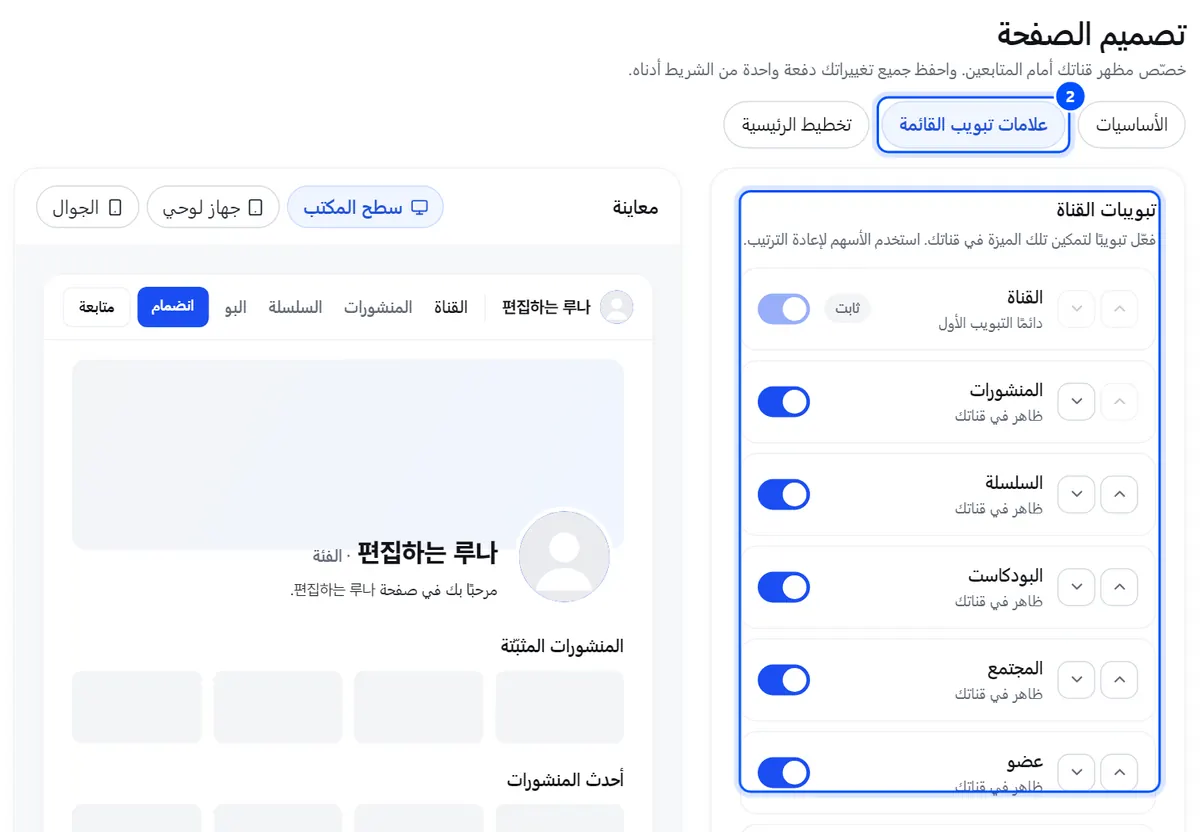
- Menu tabs: turn Posts, Series, Podcasts, Community and Members on or off and reorder them. The Courses tab appears once you publish a course.
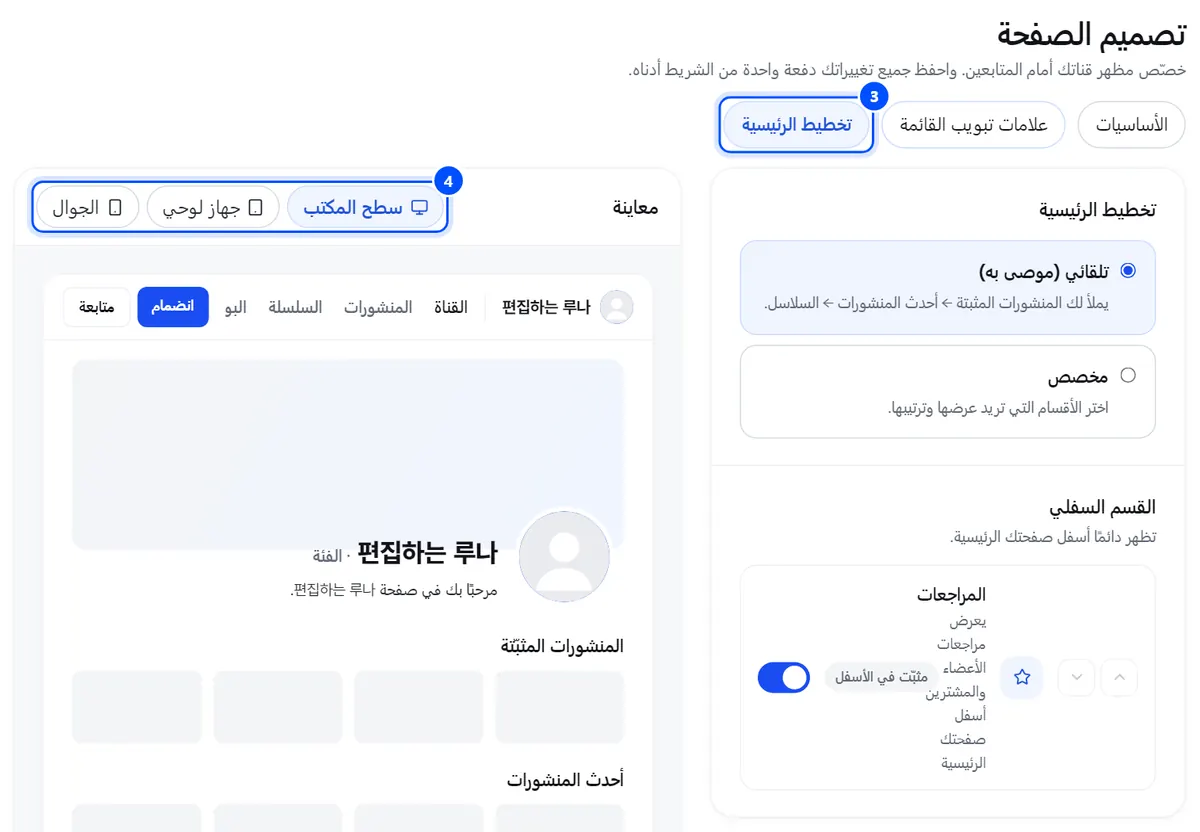
- Home layout: automatic (recommended) or custom (pinned posts, latest posts, series order)
Check the desktop, tablet and mobile previews, then save everything at once.
The menu tabs you turn on become your channel menu. When followers open your channel, the header at the top turns into this menu on a computer, and on a phone it runs across just below the top bar.
Tip
When you view your own channel, Edit channel and Studio buttons appear under your profile. Edit channel opens this Page design screen.