Topics · Members & messages
Getting started
Courses
Membership plans
Token gating
Members & messages
AI Manager training
Insights
Creator plans
Members & messages
Message your members
Use 1:1 chats, group sends, scheduled and automatic messages.
On this page
The Messages menu
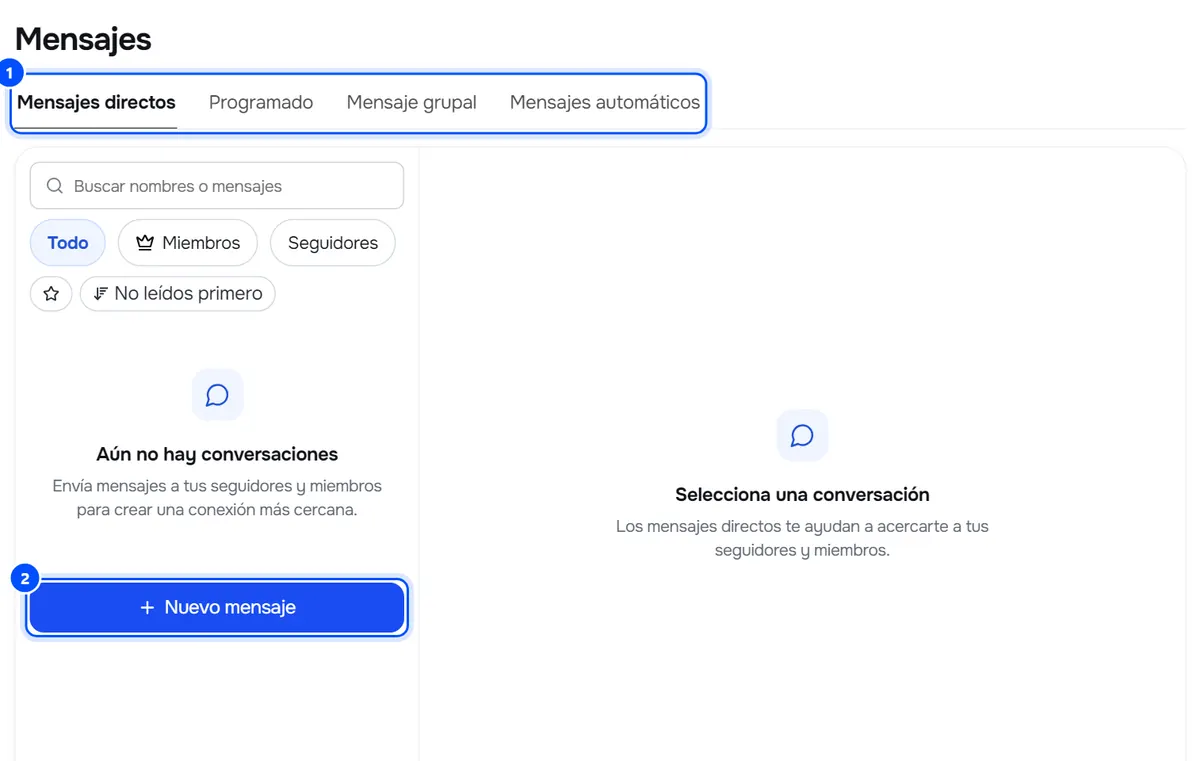
Studio > Messages has tabs for 1:1 messages, scheduled, group sends and automatic messages. Filter 1:1 chats by all, members or followers, and start one with “New message”.
Group sends
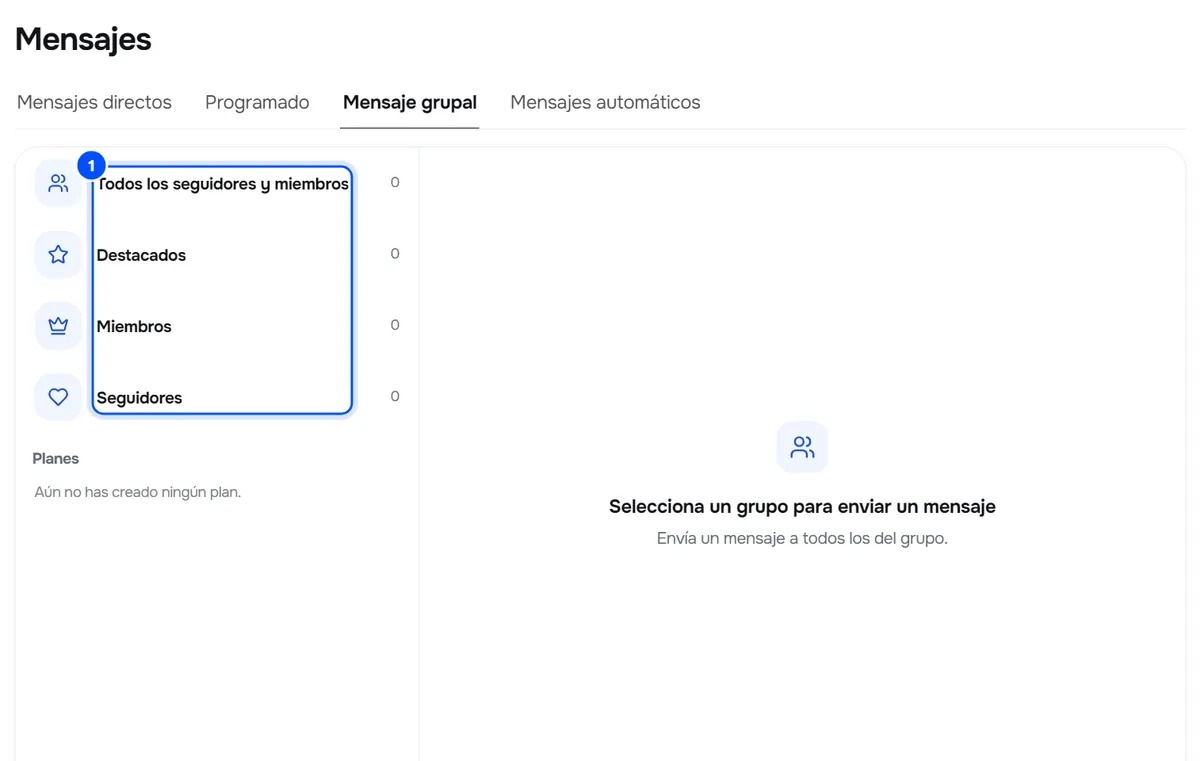
Send to all followers and members, favorites, members, followers or a specific plan. Each person gets it as a 1:1 message and replies come back 1:1. You can schedule it too.
Always choose the type: informational or ad. Ads get “(Ad)” and opt-out text added, go only to people who agreed to marketing, and can't be sent 9 PM–8 AM KST.
Automatic messages
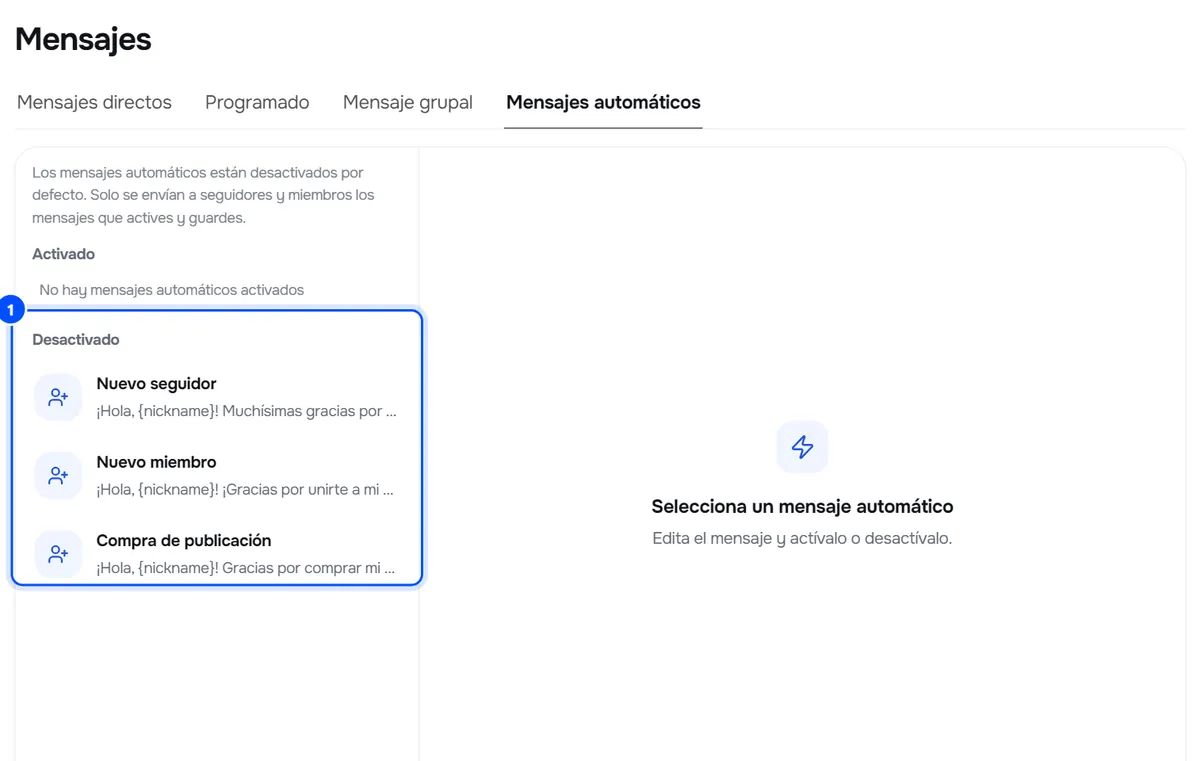
Prepare messages for new follows, memberships and post purchases. They start off — turn on a card's switch to send. The [nickname] spot you add with 'Insert recipient's nickname' is replaced with each recipient's real nickname.