Topics · AI Manager training
Getting started
Courses
Membership plans
Token gating
Members & messages
AI Manager training
Insights
Creator plans
AI Manager training
Train your AI Manager
Drop files, links and text in one place — the AI sorts and learns them, and lets you know when it's done.
On this page
In this article
- How to add material in one go and follow its progress
- Learned material, the topic map and members' daily questions
Give consent
The first time you open Studio > AI Manager, you'll see the AI-learning (RAG) consent. Tap “Agree and start”. Withdrawing consent deletes learned material immediately.
Add everything at once
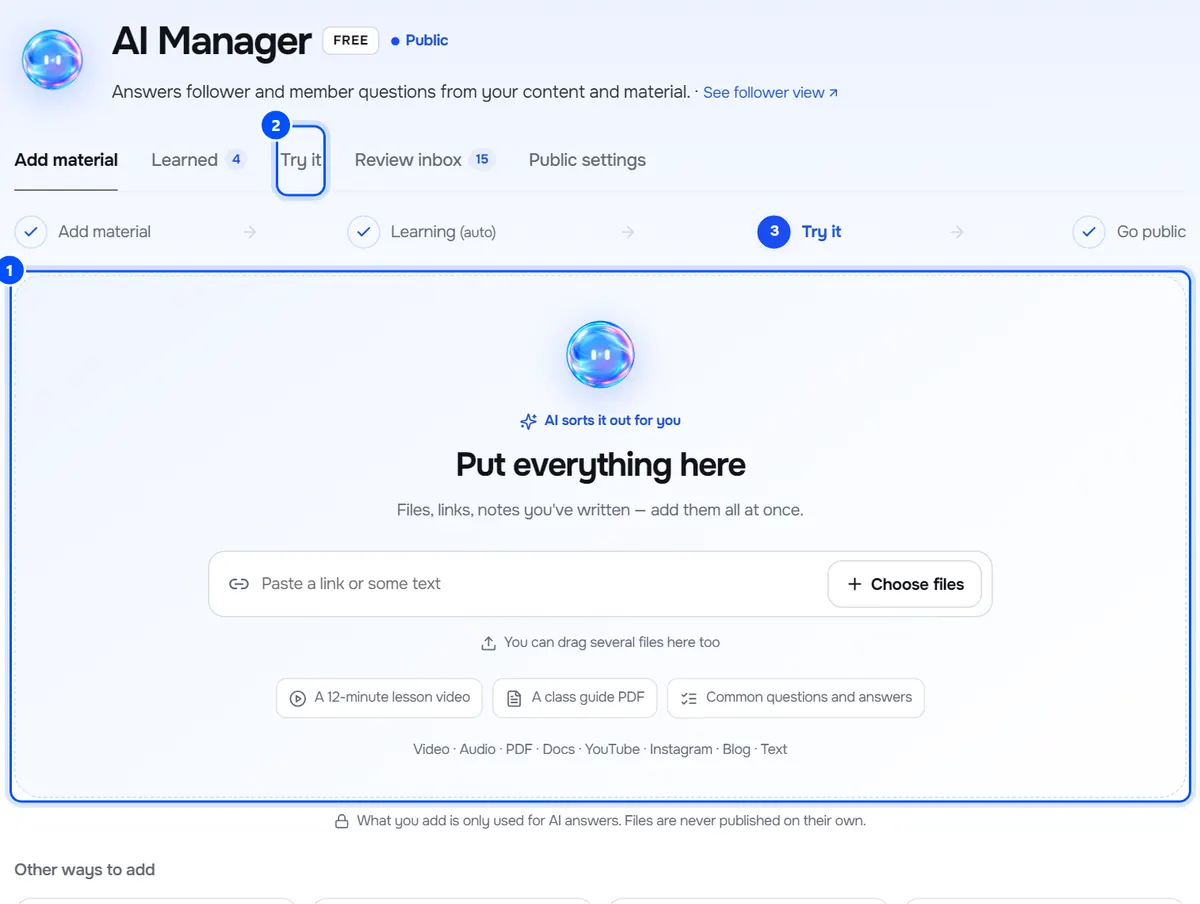
On the Add material tab, put files and notes into “Put everything here” all at once — drag in several files if you like, and the AI sorts them into video, audio, documents and text. Under “Who should the AI manager answer with this?”, choose “Everyone (followers & members)” or “Members only”, then tap “Start learning”.
- Posts imported when you built your channel and posts you've published on castsea are learned for free as soon as you agree. After that, pick new posts under “Pick castsea content” or turn on “Auto-learn new posts” (off to start).
- Learning from text uses under 1 credit per post (your first channel learning is free). Video and audio use credits by length (about 396 per hour); you'll see how many before you start.
- A YouTube or Instagram link can't teach what's said in the video. Please add the video as a file.
- Picking courses and videos, uploading files and telling it directly (notes and FAQs) are also under “Other ways to add”.
Follow the progress
Once learning starts, you'll see each item's stage (waiting, transcribing, organizing, done) and the time left. Learning keeps going while you do other things, with an “AI learning” chip at the top of Studio.
When learning finishes, you'll get a notification (the bell). Turn on “Email me when it's done” to get an email too. Anything that fails shows the reason and a “Try again” button.
Learned material and the topic map
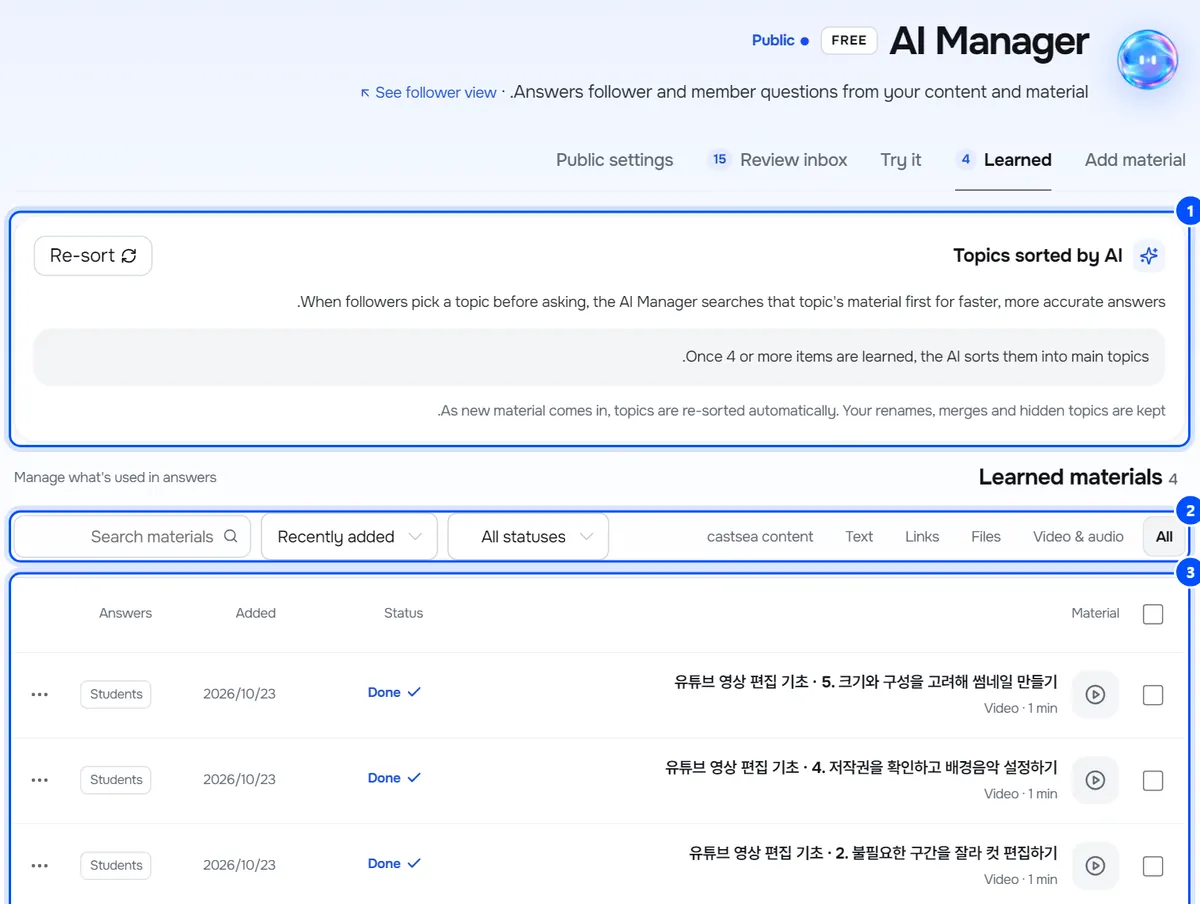
The Learned tab lists everything it has learned. Search it, filter by type, status or topic, and select several items to exclude, include again or relearn them in one go.
At the top, “Topics sorted by AI” is a topic map the AI builds automatically once you've taught it 4 or more items. It reorganizes as new material comes in, and any renaming, merging or hiding you do stays. When followers pick a topic before asking, it searches that topic's material for a more accurate answer.
Test and publish
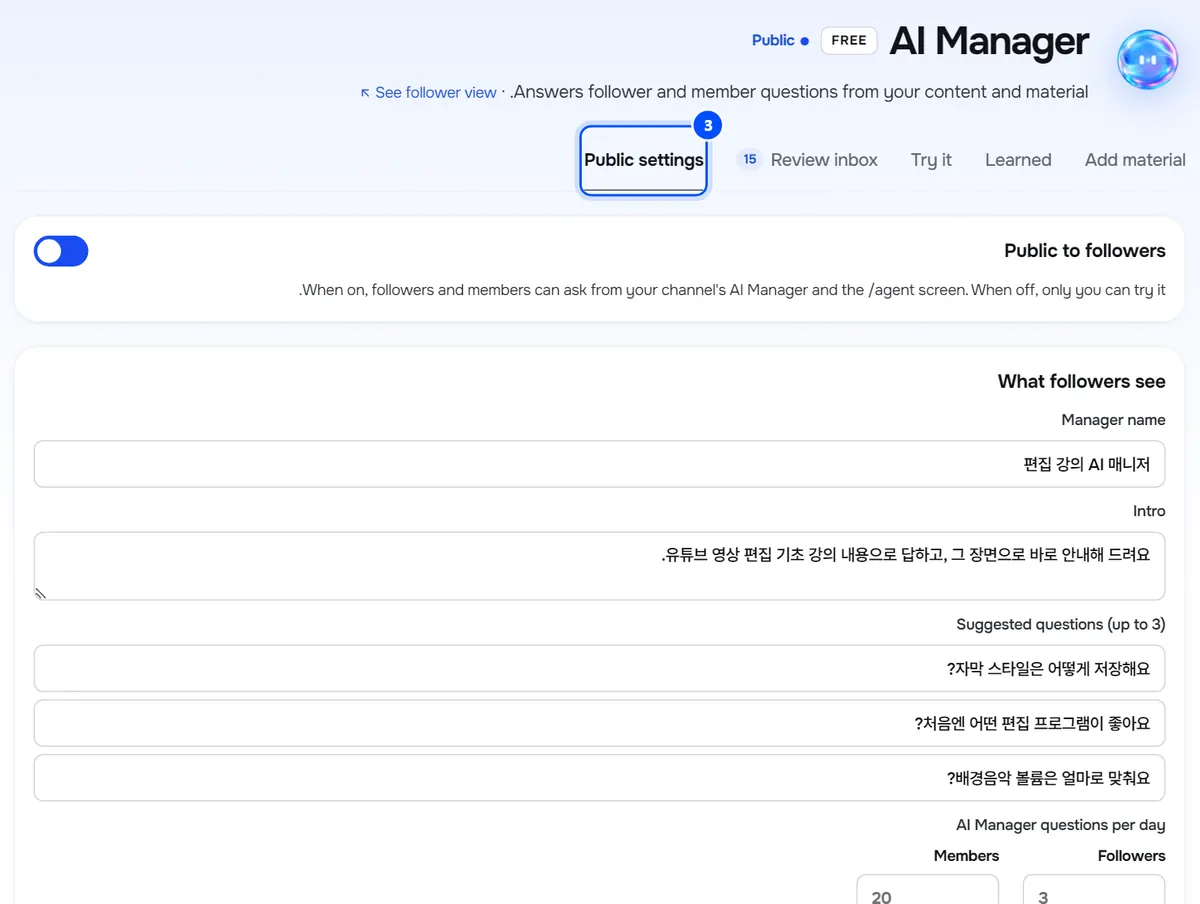
Check answers in “Try it”, then in Public settings set the manager's name, intro and up to 3 suggested questions, and turn on “Public to followers”.
Under “AI Manager questions per day” in Public settings, set daily questions for followers (0–50, default 3) and members (0–100, default 20). Leave them blank to use the defaults. To vary it by plan, change “AI Manager questions per day” in membership plan editing — members on several plans get the highest. You always have unlimited questions.
Each answer uses about 1 credit from this month's credits. Questions your material doesn't cover (like the weather) get suggested questions or a pointer to a 1:1 message instead of a made-up answer, and don't count toward daily questions or your monthly answers.