Topics · Courses
Getting started
Courses
Membership plans
Token gating
Members & messages
AI Manager training
Insights
Creator plans
Courses
Create a course
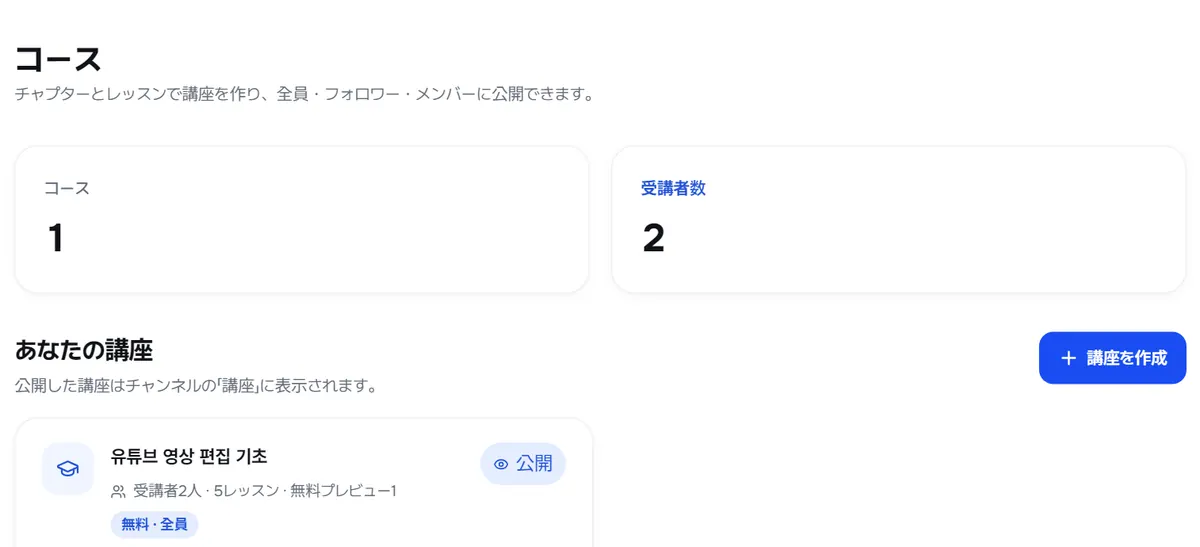
Build a course from chapters and lessons and open it to everyone, followers or members.
Set up the course
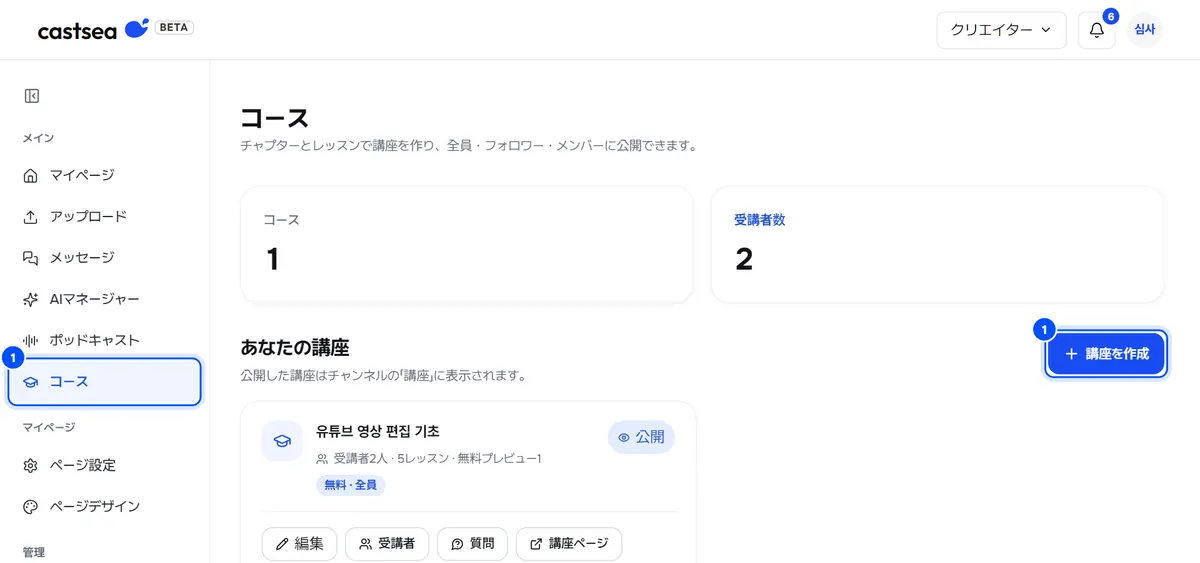
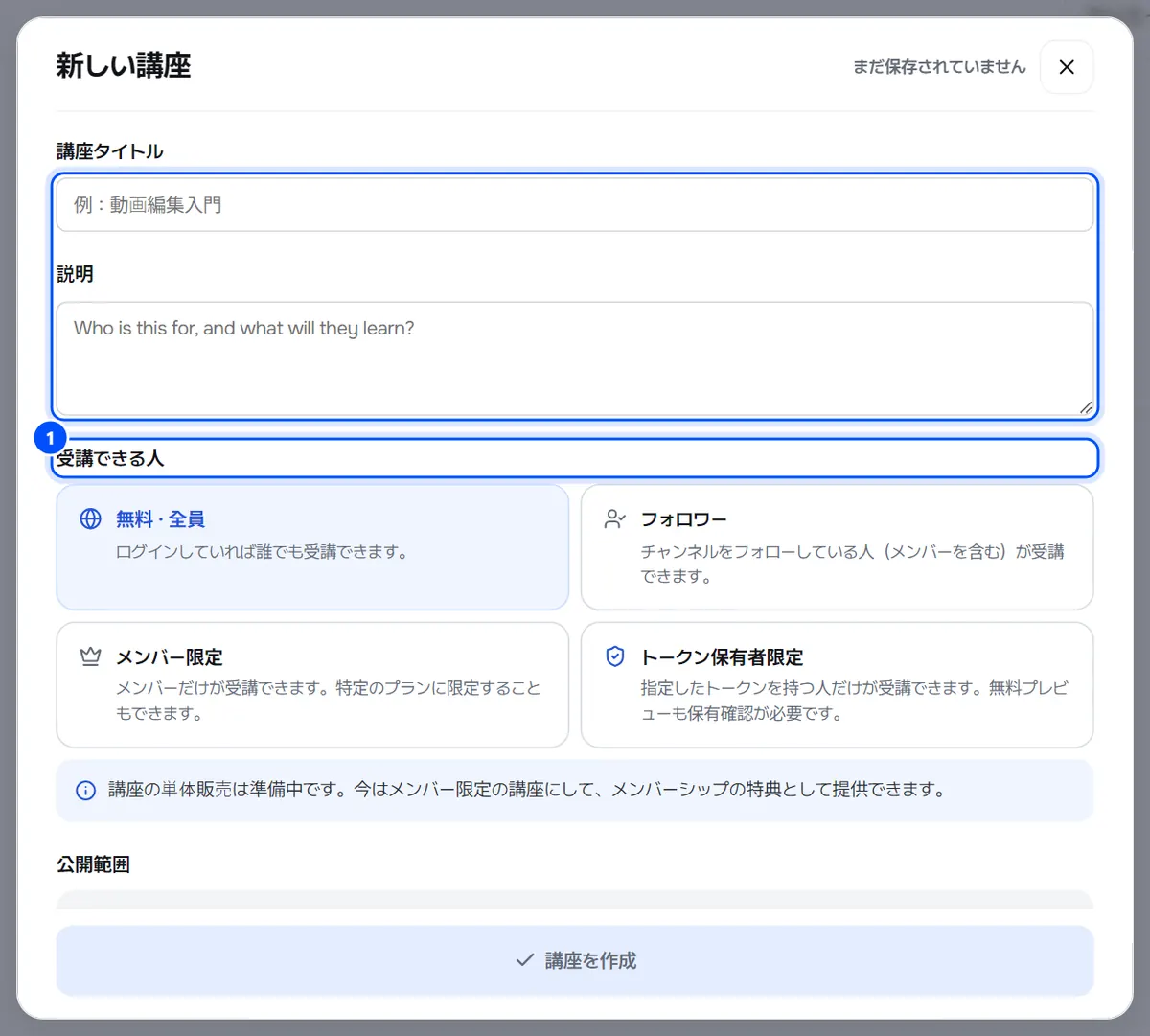
In Studio > Courses, tap “Create course”. Set the title, description, audience and visibility (public shows on your channel; private is just you).
- Free · anyone logged in
- Followers
- Members only (optionally specific plans)
- Token holders only
Fill in the curriculum
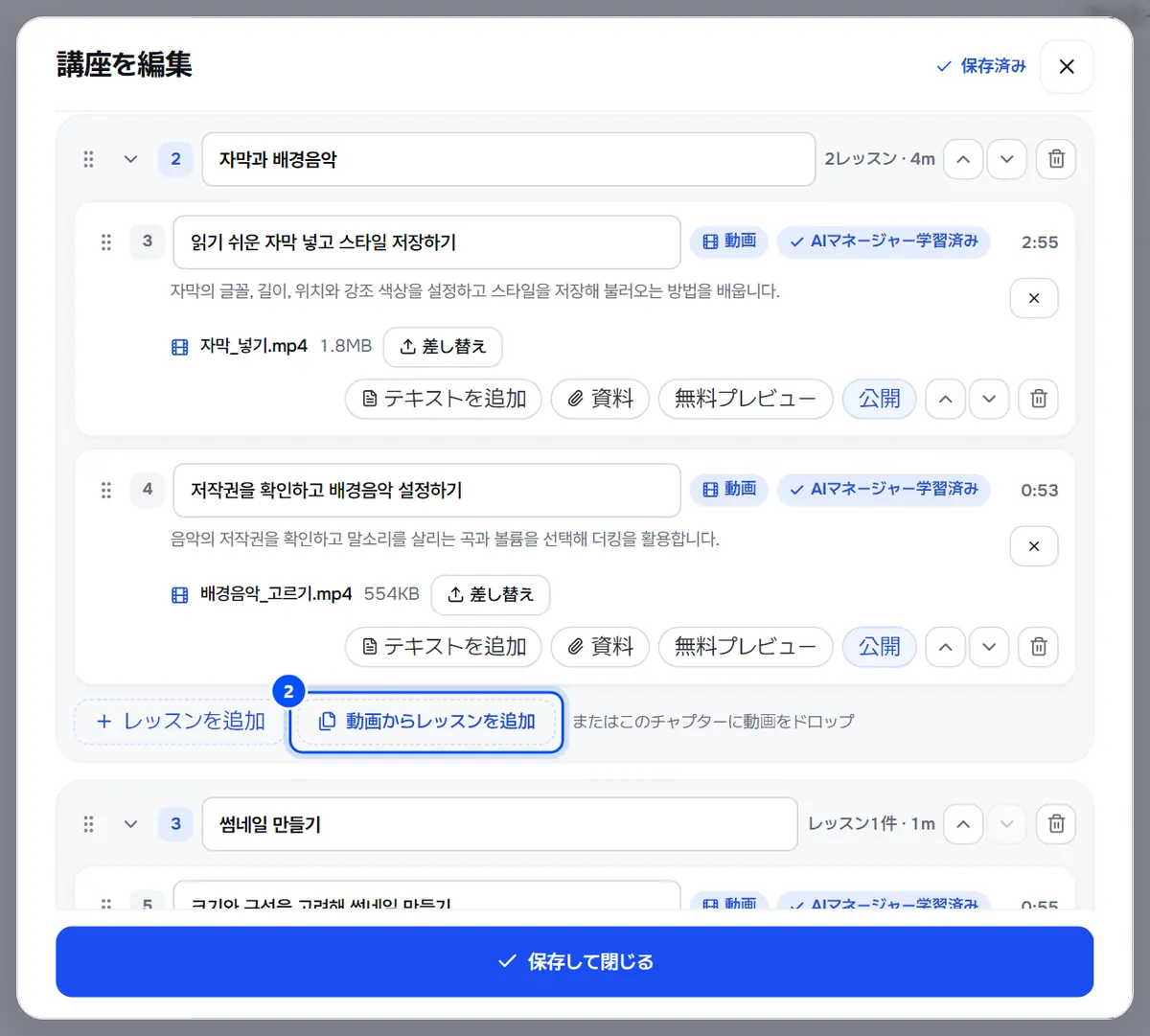
Add chapters, then lessons. “Add multiple videos” uploads MP4, MOV or WEBM files at once, creating one lesson per file in file-name order. Each lesson has a length, materials, free preview and show/hide setting.
Tip
Drag to reorder; changes save automatically. Deleted lessons can be restored with Undo.
Students & questions
Each course has a Students tab for progress and completion, and a Questions tab for lesson questions.
Note
Selling a course on its own isn't available yet — offer it as a membership perk.